

Excel - Formulas and Functions 101
You can use Excel without ever writing a formula, but you would miss much of what makes it powerful. This 60-minute Excel formulas and functions training covers the basics every user needs.
Formulas handle any calculation that involves adding, subtracting, multiplying or dividing. Functions are ready-made formulas built for a specific calculation, and they can replace a long, hand-typed formula with something shorter and simpler.
You'll build basic formulas, see how parentheses change a result, learn the pitfalls of copying formulas, name important cells so formulas are easier to read, and use SUM, AVERAGE, COUNT and IFERROR.
- Create basic formulas for addition, subtraction, division and multiplication
- Use parentheses to control how a formula calculates
- Copy formulas without introducing mistakes
- Assign names to key cells so formulas are easier to understand
- Use the SUM, AVERAGE and COUNT functions
- Replace error values with IFERROR
- Creating basic formulas for addition, subtraction, division and multiplication
- Using parentheses in formulas: what they do and why they matter
- Copying formulas and the pitfalls to watch for
- Naming important cells to make formulas logical and easy to follow
- Working faster with the SUM, AVERAGE and COUNT functions
- Using IFERROR instead of showing an error value
Once you know how to write formulas, Excel can take over your calculations and save you a lot of time. There is no need for mental math or a calculator app when the spreadsheet can work it out for you.
It is meant for basic Excel users who are ready to write their first formulas. The demonstrations use the current Windows version of Excel, and every feature shown is also available in older versions.
- This session is aimed at anyone who uses Excel at a basic level and wants to learn how to create formulas
- The training will be delivered using the latest version of Excel for Windows however all of the functionality is also available to users of earlier versions of Excel
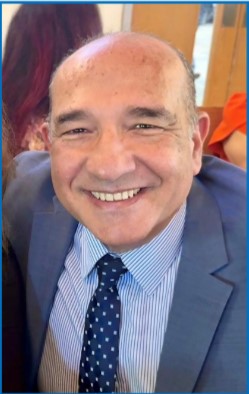
Mike has worked in the IT training business since 1989 where his expertise and experience covers designing, delivering training courses, writing training materials and recording and editing video-based tutorials. Although he is a subject matter expert in a range of Microsoft technologies and has worked extensively with Mac OSX and Mac-related software since 2006; however, his passion is for all-things-Excel and in 2012 he founded the website theexceltrainer.co.uk
Mike is a Fellow of The Learning and Performance Institute and has worked with and for a large number of global and UK-based companies and organizations across a diverse range of sectors. In addition to training, he designs and develops Microsoft Office-based solutions that automate key business tasks and processes.
Upcoming Webinars

By William Mack Copeland
Date: Nov. 6, 2026

By Carolyn Troiano
Date: Nov. 6, 2026

By Edwin Waldbusser
Date: Nov. 9, 2026

By Dev Strischek
Date: Nov. 9, 2026

By Cathy Horwitz
Date: Nov. 10, 2026

By Paul Pelletier
Date: Nov. 10, 2026

By Lesley Crook
Date: Nov. 13, 2026


By Dr. Susan Strauss
Date: Nov. 16, 2026



By Allen Evitts
Date: Nov. 17, 2026

By Dr. Bill Trombetta
Date: Nov. 17, 2026

By David Nettleton
Date: Nov. 17, 2026

By Bruce Lee
Date: Nov. 17, 2026



By Dr. Susan Strauss
Date: Nov. 18, 2026

By Mike Thomas
Date: Nov. 18, 2026

By Donna K Olheiser
Date: Nov. 19, 2026

By Charles H. Paul
Date: Nov. 19, 2026

By Diane L. Dee
Date: Nov. 19, 2026

By Abdelrahman Abdou
Date: Nov. 19, 2026

By Richard E Cascarino
Date: Nov. 20, 2026
By Edwin Waldbusser
Date: Nov. 23, 2026

By Meredith Crabtree
Date: Nov. 24, 2026

By Pete Tosh
Recorded Session
By Bruce Lee
Recorded Session

By Don Phin
Recorded Session


By Dr. Susan Strauss
Recorded Session


By Margie Faulk
Recorded Session


By Carolyn Troiano
Recorded Session
By Kelly Thomas
Recorded Session

By Rachelle D Souza
Recorded Session

By Marcia Zidle
Recorded Session

By Beverly Beuermann-King
Recorded Session
By Margie Faulk
DOL Reverses Course on Independent Contractor Rule for 2026! How Will Employers Adapt to the Change?
Recorded Session
By Mike Thomas
Recorded Session
By Marcia Zidle
Recorded Session

By Ritu Arora
Recorded Session
By Diane L. Dee
Recorded Session
By Dr. Susan Strauss
Recorded Session
By Diane L. Dee
Recorded Session
By Beverly Beuermann-King
Recorded Session
By Charles H. Paul
Recorded Session
By Marcia Zidle
Recorded Session

By Audrey Halpern
Recorded Session