

Using Copilot in Microsoft Excel
Copilot, Microsoft's AI assistant, can calculate, manage and summarize data for you in Excel. This one-hour Copilot in Excel training shows how it helps you finish reports, spreadsheets, charts and lists in less time.
Through several live demonstrations, you'll see how to write prompts that get useful results, have Copilot suggest and write formulas, sort and filter large lists, work with tables, and summarize data into PivotTables and PivotCharts. The session also shows Copilot formatting and cleaning data, finding trends, patterns and duplicates, and using Copilot Chat to create new Excel files from existing ones.
- Explain the benefits of using Copilot in Excel
- Write effective prompts to get accurate results
- Use Copilot to suggest and write formulas
- Sort, filter, format and clean data with Copilot
- Summarize data into PivotTables and PivotCharts
- Find trends, patterns and duplicates in your data
- Create new Excel files from existing files with Copilot Chat
- Overview and benefits of Copilot in Excel
- Tips for writing effective Copilot prompts
- Automating tasks in Excel with Copilot
- Having Copilot suggest and write formulas
- Sorting and filtering data in a large list
- Working with tables
- Summarizing data into PivotTables and PivotCharts
- Formatting and cleaning up data in a list
- Finding trends, patterns and duplicates
- Using Copilot Chat to create new Excel files from other files
Many routine Excel tasks take longer than they should. Seeing Copilot at work on real tasks helps you decide where it can save you time and raise your productivity.
The session suits managers, business professionals, administrative staff, legal professionals and Excel users from many other fields.
- Managers
- Business Professionals
- Administrative Personnel
- Legal Professionals
- Many different Users from many Fields
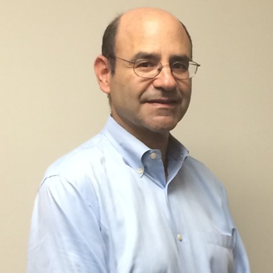
Craig Brody operates Craig Brody, LLC, a business that provides software training and consulting services. Craig has trained numerous employees, managers, executives, and students in various application software, including Microsoft 365 Copilot and Adobe Acrobat Pro. He conducts and facilitates in-person, online, and recorded training workshops for professionals in accounting, business, management, and law. Craig also conducts workshops, classes, and consulting services for the University of Pennsylvania's Wharton Business School, Penn Carey Law School, law firms, accounting associations, and accreditation providers. His services include spreadsheet analysis, design and troubleshooting, software programming, consulting, published course guides, recorded courseware videos, and other reference materials.
Upcoming Webinars

By William Mack Copeland
Date: Nov. 6, 2026
By Carolyn Troiano
Date: Nov. 6, 2026

By Edwin Waldbusser
Date: Nov. 9, 2026

By Dev Strischek
Date: Nov. 9, 2026

By Cathy Horwitz
Date: Nov. 10, 2026

By Paul Pelletier
Date: Nov. 10, 2026

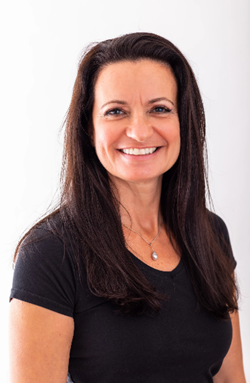
By Lesley Crook
Date: Nov. 13, 2026
By Dr. Susan Strauss
Date: Nov. 16, 2026



By Allen Evitts
Date: Nov. 17, 2026

By Dr. Bill Trombetta
Date: Nov. 17, 2026

By David Nettleton
Date: Nov. 17, 2026

By Bruce Lee
Date: Nov. 17, 2026


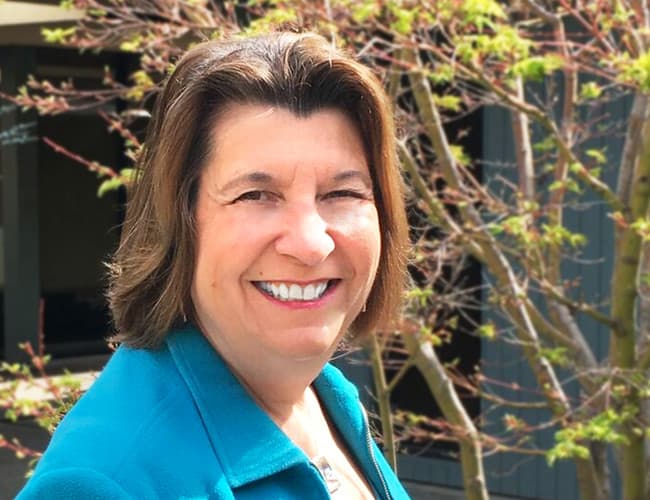

By Dr. Susan Strauss
Date: Nov. 18, 2026

By Mike Thomas
Date: Nov. 18, 2026

By Donna K Olheiser
Date: Nov. 19, 2026

By Charles H. Paul
Date: Nov. 19, 2026
By Diane L. Dee
Date: Nov. 19, 2026

By Abdelrahman Abdou
Date: Nov. 19, 2026


By Richard E Cascarino
Date: Nov. 20, 2026
By Edwin Waldbusser
Date: Nov. 23, 2026

By Meredith Crabtree
Date: Nov. 24, 2026

By Pete Tosh
Recorded Session
By Bruce Lee
Recorded Session

By Don Phin
Recorded Session


By Dr. Susan Strauss
Recorded Session


By Margie Faulk
Recorded Session


By Carolyn Troiano
Recorded Session

By Kelly Thomas
Recorded Session

By Rachelle D Souza
Recorded Session

By Marcia Zidle
Recorded Session

By Beverly Beuermann-King
Recorded Session
By Margie Faulk
DOL Reverses Course on Independent Contractor Rule for 2026! How Will Employers Adapt to the Change?
Recorded Session
By Mike Thomas
Recorded Session
By Marcia Zidle
Recorded Session

By Ritu Arora
Recorded Session
By Diane L. Dee
Recorded Session
By Dr. Susan Strauss
Recorded Session
By Diane L. Dee
Recorded Session
By Beverly Beuermann-King
Recorded Session
By Charles H. Paul
Recorded Session
By Marcia Zidle
Recorded Session

By Audrey Halpern
Recorded Session