

6-Hour Virtual Seminar on Learning the Highlights of Excel - A Complete Set of Useful Tools
Excel does far more than hold data in rows and columns. This 6-hour Excel training seminar shows you how to calculate, summarize and chart your data, find what matters with sorting and filtering, and protect your work from unwanted changes.
You'll start with formulas: entry rules, order of operations, functions, AutoSum, relative and absolute references and AutoFill. Next come sorting and filtering, then building and formatting charts. The session moves on to summarizing and analyzing data with PivotTables and PivotCharts.
Finally, you'll work with presentation elements such as pictures and shapes, and learn worksheet, workbook and file-level protection.
- Enter formulas and functions correctly, using the order of operations and cell references
- Copy formulas with AutoFill and total data with AutoSum
- Sort and filter data to find relevant information
- Create, format and relocate charts
- Summarize and analyze data with PivotTables and PivotCharts
- Insert, format and arrange pictures and shapes
- Protect worksheets, workbooks and files
Entering Excel formulas
- Rules for entering formulas
- Understanding the order of operations
- Creating basic calculations
- Entering functions
- Using AutoSum
- Relative and absolute cell references
- Using AutoFill to copy formulas
Sorting and filtering data
- Sorting a single column
- Sorting multiple columns
- Filtering for specific data
Creating charts
- Creating a chart
- Changing chart size and position
- Changing the chart type
- Switching data
- Changing the chart layout and style
- Adding labels
- Moving a chart to a chart sheet
Summarizing data with PivotTables
- Creating a PivotTable
- Analyzing data with PivotTables
- Adding styles and report layouts
- Creating a PivotChart
Working with presentation elements
- Inserting pictures and clip art
- Sizing, moving and changing the orientation of objects
- Enhancing pictures
- Drawing and formatting shapes
- Selecting multiple objects
- Arranging, aligning and grouping images
Protecting worksheets and files
- Worksheet-level protection
- Workbook-level protection
- File-level protection
This session gives you a well-rounded tour of Excel in one easy-to-follow workshop, from basic formulas and data sorting to PivotTables, shapes and pictures.
It suits business owners, executives, managers, accountants, CPAs, financial consultants, IT professionals, auditors, HR staff, bookkeepers, marketers and anyone who works with large amounts of data or uses Excel regularly and wants to be more productive.
- Business Owners
- CEO's / CFO's / CTO's
- Managers
- Accountants
- CPA's
- Financial Consultants
- IT Professionals
- Auditors
- Human Resource Personnel
- Bookkeepers
- Marketers
- Anybody with large amounts of Data
- Anybody who uses Microsoft Excel on a regular basis, and wants to be more efficient and productive
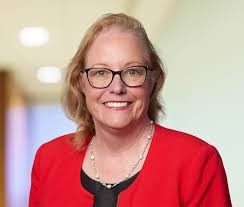
Cathy Horwitz is a highly experienced Microsoft Office instructor, specializing in Excel, Word, PowerPoint, Outlook, and Access. With over 30 years of expertise in both in-person and online training, she has helped thousands of professionals boost productivity, streamline workflows, and master essential Microsoft Office skills.
Cathy has been teaching Microsoft Office since its inception, offering tailored training programs that meet the unique needs of individuals and businesses. Her courses cover everything from Excel formulas, PivotTables, and automation with macros to Word document formatting, PowerPoint presentation design, and Outlook email management. Workshops from beginning level through advanced are available.
Known for her engaging, hands-on teaching style, Cathy incorporates real-world business scenarios to ensure students gain practical skills they can immediately apply. Whether you're looking for corporate training, individual coaching, or advanced Microsoft Office workshops, Cathy delivers results-driven instruction that enhances efficiency, problem-solving, and software proficiency.
When not teaching, Cathy enjoys gardening, shopping estate sales and refinishing mid-century furniture.
Upcoming Webinars

By William Mack Copeland
Date: Nov. 6, 2026

By Carolyn Troiano
Date: Nov. 6, 2026

By Edwin Waldbusser
Date: Nov. 9, 2026

By Dev Strischek
Date: Nov. 9, 2026


By Cathy Horwitz
Date: Nov. 10, 2026

By Paul Pelletier
Date: Nov. 10, 2026



By Lesley Crook
Date: Nov. 13, 2026


By Dr. Susan Strauss
Date: Nov. 16, 2026



By Allen Evitts
Date: Nov. 17, 2026

By Dr. Bill Trombetta
Date: Nov. 17, 2026

By David Nettleton
Date: Nov. 17, 2026

By Bruce Lee
Date: Nov. 17, 2026




By Dr. Susan Strauss
Date: Nov. 18, 2026

By Mike Thomas
Date: Nov. 18, 2026

By Donna K Olheiser
Date: Nov. 19, 2026

By Charles H. Paul
Date: Nov. 19, 2026

By Diane L. Dee
Date: Nov. 19, 2026

By Abdelrahman Abdou
Date: Nov. 19, 2026


By Richard E Cascarino
Date: Nov. 20, 2026
By Edwin Waldbusser
Date: Nov. 23, 2026

By Meredith Crabtree
Date: Nov. 24, 2026


By Pete Tosh
Recorded Session
By Bruce Lee
Recorded Session

By Don Phin
Recorded Session


By Dr. Susan Strauss
Recorded Session


By Margie Faulk
Recorded Session


By Carolyn Troiano
Recorded Session

By Kelly Thomas
Recorded Session

By Rachelle D Souza
Recorded Session

By Marcia Zidle
Recorded Session

By Beverly Beuermann-King
Recorded Session
By Margie Faulk
DOL Reverses Course on Independent Contractor Rule for 2026! How Will Employers Adapt to the Change?
Recorded Session
By Mike Thomas
Recorded Session
By Marcia Zidle
Recorded Session

By Ritu Arora
Recorded Session
By Diane L. Dee
Recorded Session
By Dr. Susan Strauss
Recorded Session
By Diane L. Dee
Recorded Session
By Beverly Beuermann-King
Recorded Session
By Charles H. Paul
Recorded Session
By Marcia Zidle
Recorded Session


By Audrey Halpern
Recorded Session